Corgi’s AI Scribe effortlessly generates SOAPs from exam room recordings, empowering you to stay ahead of end-of-day records.
Steps
- Start a SOAP session
- Record the visit
- You may stop the recording and continue recording
- Corgi transcribes the recording on your iPhone or iPad
- Generate the SOAP immediately after the visit, or
- Generate the SOAP later, which provides the opportunity for you to add on additional voice recordings outside the exam room
Templates
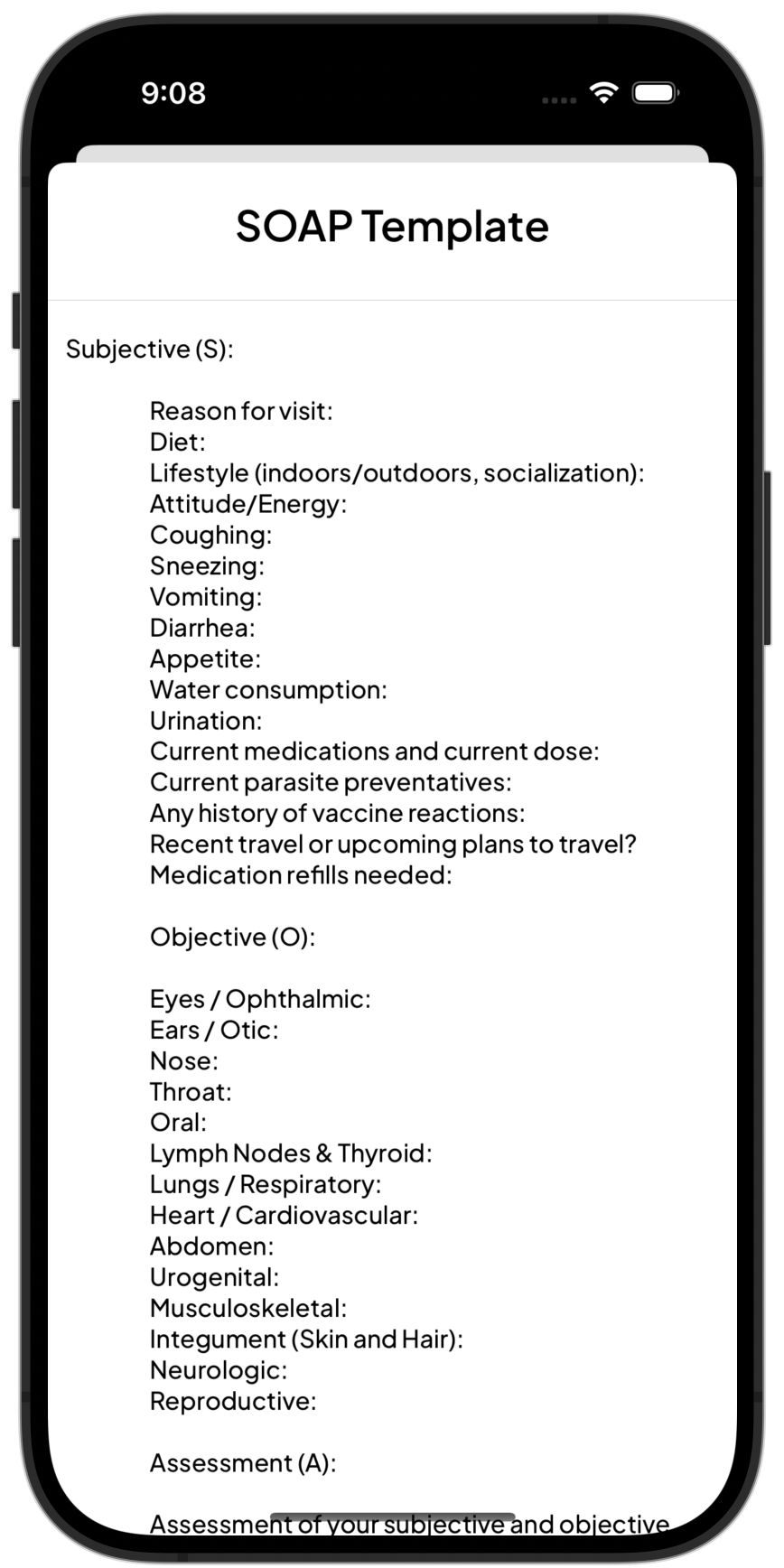
- You can use our standard template …
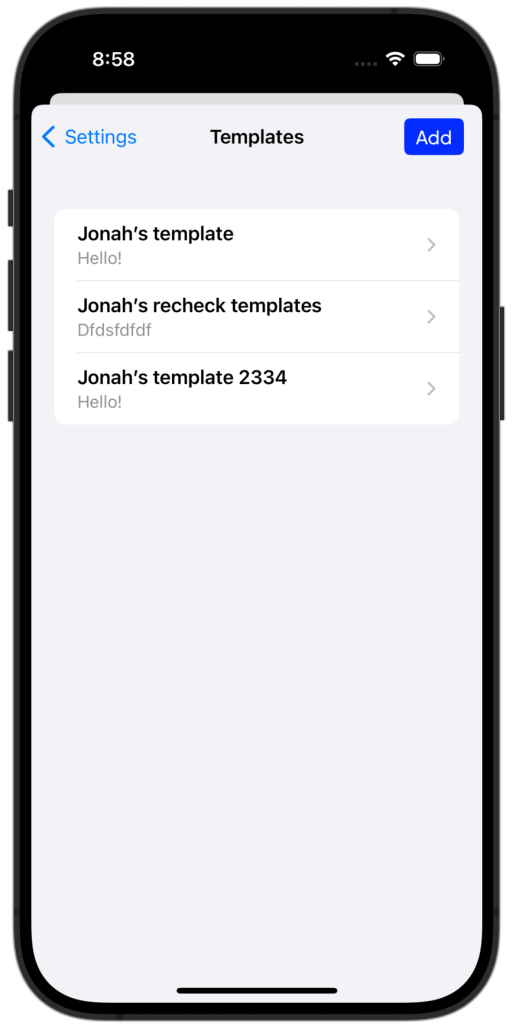
- … or add an unlimited number of your custom templates
- To add and manage your custom templates, navigate to Settings > SOAP Templates
- We recommend emailing the template to yourself and then copy and pasting into Corgi
Starting a Session
- Click

- Enter Patient Name, Patient ID (PIMS), click Start Session
- Read and acknowledge the Recording Consent. If you are in a two-party state, ensure all parties in the room have provided consent to be recorded.
- Click
 when you’re ready to start recording.
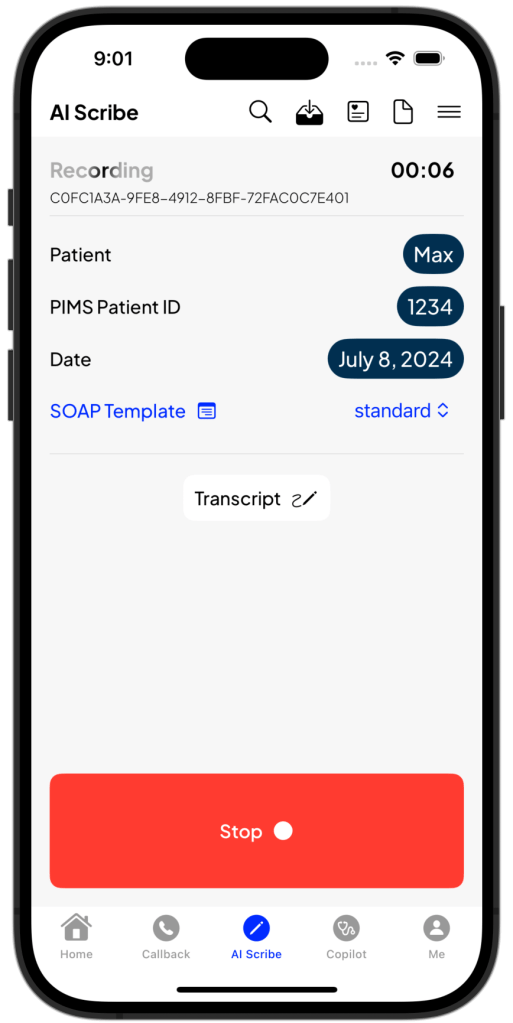
- When recording is stopped, you are presented with this screen and the status message at the top indicates “Recording Stopped“.
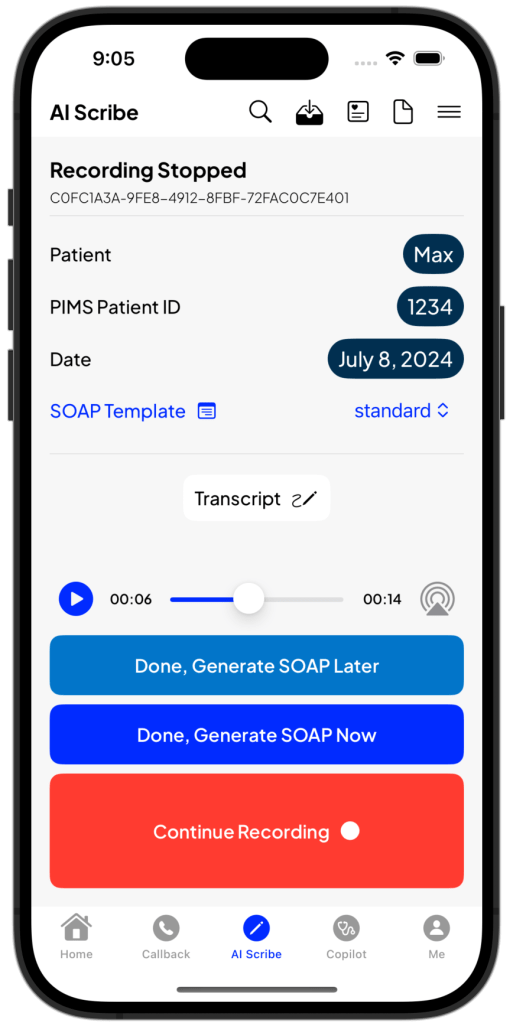
From this screen, you may take the following actions:
- Select the SOAP Template you’d like to use (using the picker menu)
- Click “SOAP Template” to preview the SOAP template
- If you’re using a custom SOAP template, but have not added in the custom template, please select “Done, Generate SOAP Later”, then add the custom template and return to the session (see Revisiting a Session, below)
- Continue Recording to add to the session recording
- Done, Generate SOAP Later (see Revisiting a Session, below)
- Done, Generate SOAP Now
- Review the Transcript of the recording so far
- Play back the audio recording
Revisiting a Session
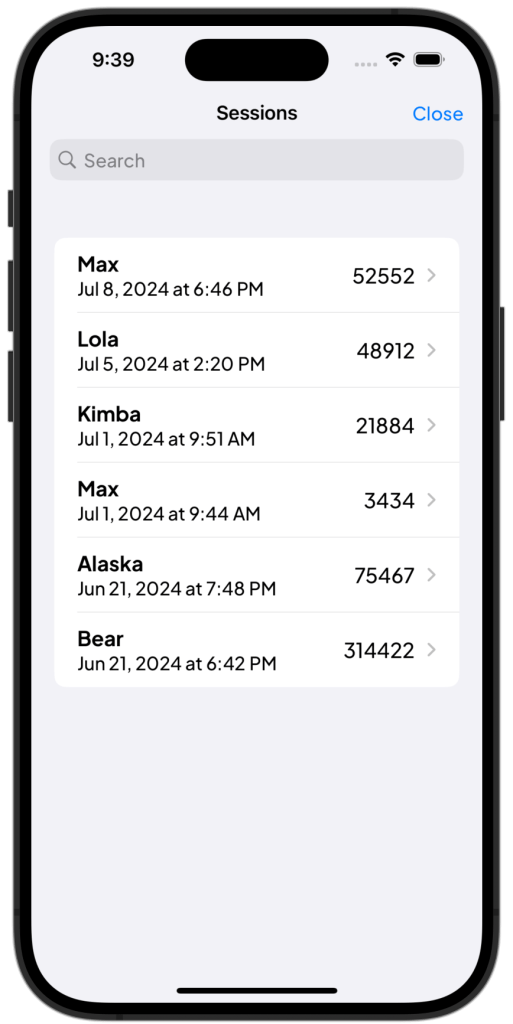
You can easily revisit previous sessions by accessing the Sessions  feature.
When you tap into a session, you’ll be brought back to the same environment, allowing you to perform the same actions as you could in the original session, such as adding to the recording and generating a SOAP.
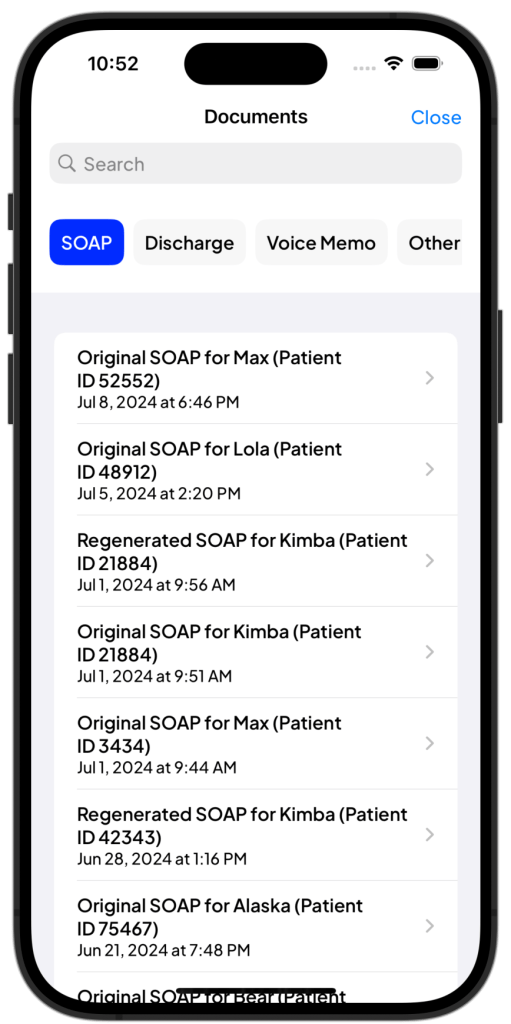
SOAP Documents
SOAPs, once generated appear in Documents 
 Corgi Help Center