If a nurse, or another member of hospital staff typically assists you with adding SOAP to PIMS, you can share access to Documents in your account using Delegates. This provides the delegate with access to all of your documents – SOAPs, Discharge Notes, and other notes.
Adding a Delegate
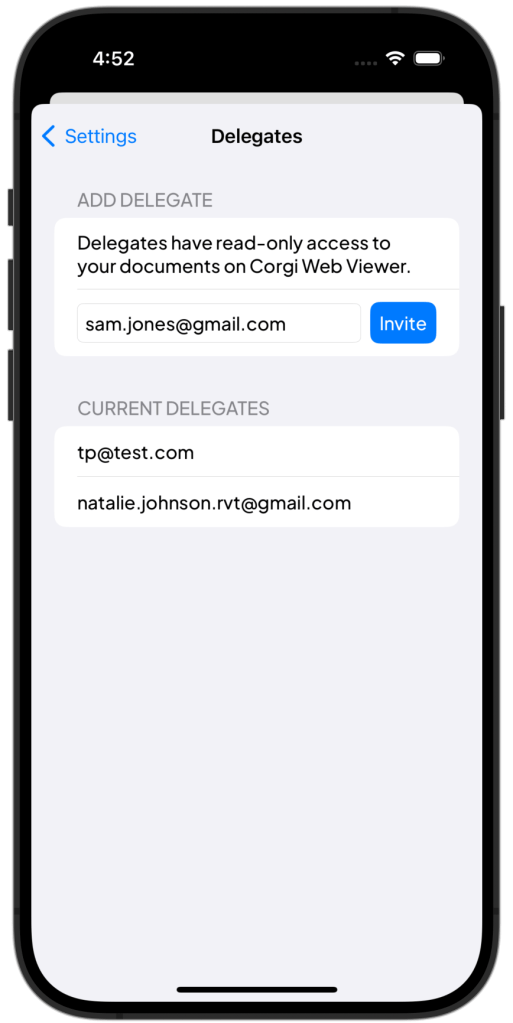
Navigate to Settings  > Delegates.
Under Add Delegate, type the email of the individual you’d like to share access with. Click Invite.
The user will receive their login and password via email, with subject line “Your Corgi Login Information from Dr. <Your Name>”
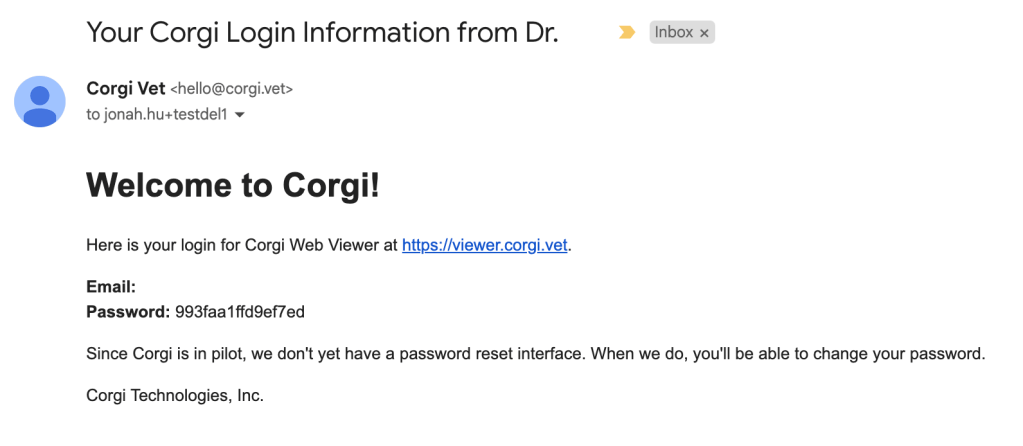
Corgi Viewer is accessible at http://viewer.corgi.vet. For security, Viewer login expires after one hour.
Removing a Delegate
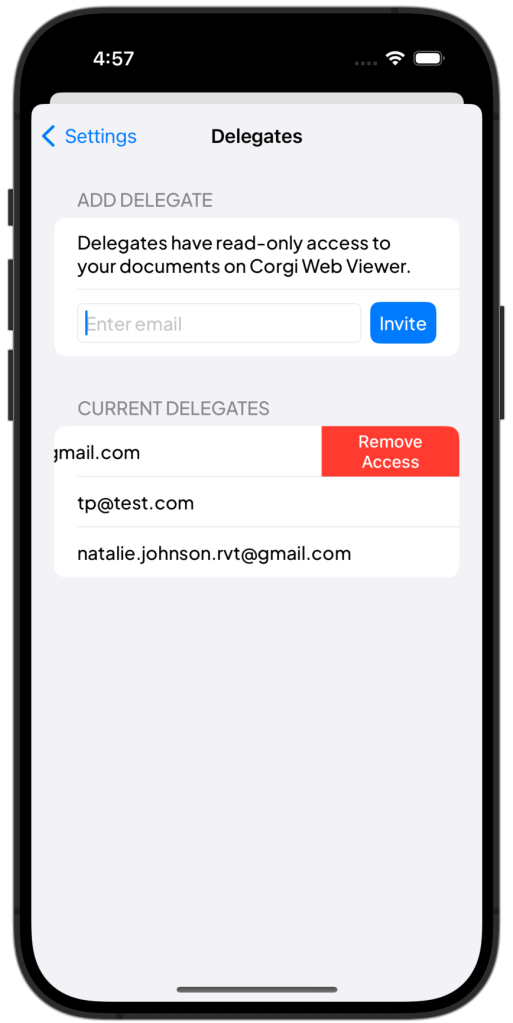
Navigate to Settings > Delegates.
Under Current Delegates, swipe left on the delegate you’d like to remove access.
 Corgi Help Center